Temp77 · Alias Forwarding
Email Alias Forwarding: Keep Your Real Address Off Every Sign-up Form
Give every service a unique alias address — in the format "your-prefix@temp77.com" — and have all incoming mail forwarded automatically to your real inbox. The moment an alias starts receiving spam, you know exactly which platform leaked your address. Pause it, and the noise vanishes immediately, no impact on your real email.
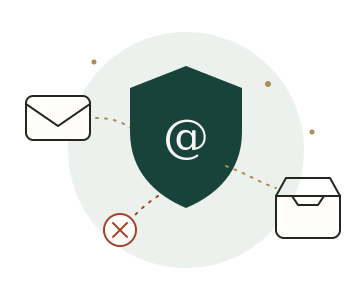
How it works
A message's journey from alias to inbox
Create an alias
After logging in, type a custom prefix or let the system generate a natural-sounding one. Leave the field blank and a prefix is assigned automatically. Each account supports up to 100 aliases.
Hand the alias to websites
Use your alias whenever a sign-up, subscription, or contact form asks for an email address. Naming your prefix after the service makes it easy to trace any leak later.
Mail is forwarded and archived
After passing the spam filter, incoming messages are forwarded to your real inbox within seconds. A copy is kept in the 30-day online archive — delivery status, spam flags, and original content all visible at any time.
Pause or delete — alias by alias
If one alias starts attracting junk, pause it: incoming mail is silently discarded while your other aliases and real inbox are completely unaffected. Delete it permanently when you're sure you no longer need it.
What you get
More than forwarding — it also filters and archives
A forwarding service that only moves messages is only half the job. Filtering, archiving, and the ability to stop individual senders are what make it genuinely useful.
100 alias quota
Enough to give a dedicated address to every service you use regularly. Custom prefixes and random generation are both one-click operations.
30-day online archive
Every message is stored for a month — body text, attachments up to 50MB, and delivery status all accessible even if you accidentally deleted the forwarded copy.
Automatic spam filtering
Suspected spam is quarantined rather than forwarded, keeping your real inbox clean. Appeal any false positive with one click — that sender will be allowed through in future.
Pause / resume on demand
Silence an alias without deleting it: incoming mail is quietly discarded while paused, and you can resume forwarding at any moment.
Retry on delivery failure
If a message fails to forward, it is flagged in the archive with a clear status. Click Retry and the system re-attempts delivery with a live result.
Optional two-factor auth (2FA)
Bind an authenticator app to require a one-time code at every login. Even if your email verification code is intercepted, your account stays locked.
Choosing the right tool
Alias forwarding handles the long term; temp mail handles the one-off
These two tools solve different problems — together they cover every situation where you need to keep your real address private.
Use alias forwarding for
- Shopping, subscriptions, and community accounts you'll use for years
- Any service where you want to trace leaks by alias
- Long-term notifications, invoices, and order confirmations
Use temp mail for
- Grabbing a single verification code or download link
- Testing an unfamiliar site before committing your real address
- Anything where you want zero connection to your identity
Still not sure which one fits your use case? This comparison guide walks through both options across five dimensions and maps them to real-world scenarios.
Hide your real inbox starting now
Log in by receiving a single 6-digit code in your real inbox — no password, no form, no fee. Your first alias can be forwarding mail within a minute.
New email addresses are registered automatically on first login